Slot Grind Upgrade Planner
Interactive payback calculator �?stop guessing whether speed, payout, or automation wins your next paycheck.
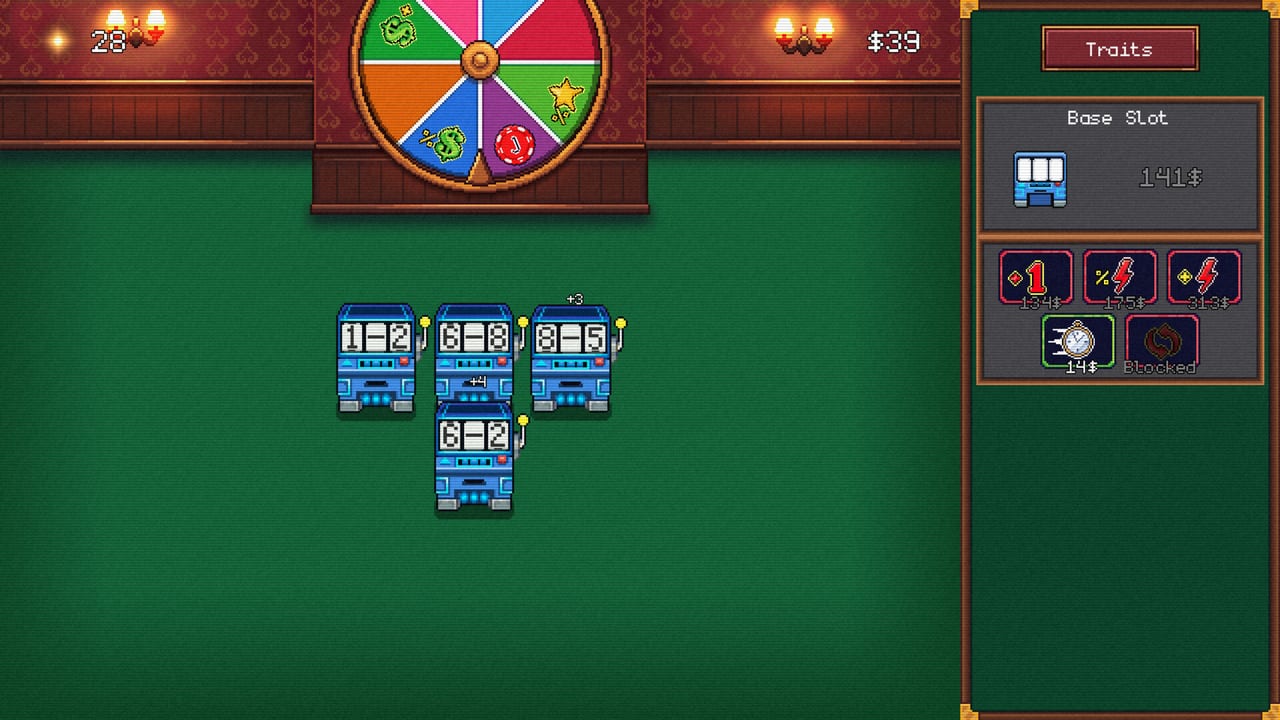
The Slot Grind Upgrade Planner models payback time for shop purchases on OneMoreSystem’s incremental casino (Steam AppID 4619420). Slot Grind escalates machine costs and debt thresholds together �?buying the wrong upgrade can trap you in minutes of waiting during a run that should finish in one to three hours. This tool translates your current machine count, cash on hand, and campaign phase into ranked purchase options aligned with our Upgrade Order Tier List.
Use the planner when two buttons glow affordable, after automation unlocks appear in Mid-Game Walkthrough, or when Steam-review-style exponential waits suggest your ROI math is off.
How the Planner Works
The planner estimates payback seconds �?purchase cost divided by expected income gain �?for four purchase families:
- Spin speed �?Reduces time between payouts on a target machine.
- Payout multiplier �?Raises value per spin without changing speed.
- Automation module �?Converts a manual machine to auto-spin (income per minute rises because uptime hits 100%).
- New machine �?Adds a parallel income stream; payback includes purchase price minus opportunity cost if you delayed speed first.
Inputs mirror in-game numbers where possible: select phase (opening, mid, late), machines owned, whether synergy is active, and optional debt due within the next few minutes. Output lists S-tier through C-tier buys with estimated payback �?same vocabulary as Tier List Hub.
Estimate payback time for the next Slot Grind upgrade using your current idle income.
Estimated payback —
Tip: if payback is long, check the skill tree or buy another machine first.
Reading Planner Output
Green / S-tier rows �?Buy immediately unless a debt payment is due sooner. Matches picks like second machine in Early Game Walkthrough.
Yellow / A-tier rows �?Strong; delay only for an S-tier gate (Automation Unlocks lists exact module timing).
Red / C-tier rows �?Cosmetic or slow payback; ignore unless achievement hunting Min-Maxing!.
When payback estimates tie within rounding error, prefer automation mid-game and machine count early �?the same heuristics in Machine Upgrade Priority.
Phase Defaults (August 2026 Build)
| Phase | Planner bias | Why |
|---|---|---|
| Opening (0�?5 min) | New machine > speed on one reel | Width beats depth with one slot |
| Mid (automation online) | Automation > speed on hero machine | Hands-off uptime multiplies everything |
| Late (debts looming) | Global skill-gated payout > new tier | Payback must finish before ledger due |
| Post-credits (Forbes hunt) | Payout stacks on synergy slot | Single-spin and billion totals need peak reel |
Patch changes from Updates Hub may shift costs �?re-open the planner after labeled Steam updates.
Example Decision Flow
You own four machines, automation on two, and can afford either speed III on the hero slot or automation on machine three.
- Open planner, set phase Mid, machines 4, automation 2/4.
- Compare payback: automation on machine three often wins because it adds 100% uptime to a previously manual stream.
- If payback within 10% ties, pick automation �?matches How to Automate guidance.
- Re-run after purchase when cash resets; incremental games change payback every minute.
Limits and Assumptions
The planner uses wiki-maintained cost curves �?not live memory reading. It cannot see your exact RNG spin values or temporary buffs. Treat output as decision support, not gospel:
- Fortune Wheel jackpots skew single-spin income temporarily.
- Gamble minigames sit outside shop ROI math.
- Demo saves stop before late-tier costs; switch to full-game phase when purchasing AppID 4619420.
For narrative walkthrough timing, keep Walkthrough Hub open alongside this tool.
Related Links
- Tools Hub �?Other interactive helpers.
- Playtime Checklist �?Track milestones while using planner picks.
- Machines Overview �?Upgrade lane definitions.
- Perk Priority Tier List �?When skill points beat shop buys.
- Slot Grind Review �?Pacing context for long payback windows.
- Wiki Home �?Full index.
Common Planner Mistakes
Avoid these input errors that inflate payback estimates:
- Counting manual uptime as 100% �?Machines you still click behave like partial automation until modules install.
- Ignoring debt timers �?A technically faster payback upgrade loses if cash is needed for ledger due in ninety seconds.
- Single-machine tunnel vision �?Speed V on one reel loses to a second automation module when three machines still need clicks.
- Pre-synergy payout stacks �?Payout multipliers before Synrgy time unlock rank lower than global speed that feeds every reel.
Re-run the planner after each purchase; Slot Grind income changes discontinuously when new machines or perks land.
Speedrun and Second-Save Notes
Speed attempts for Gone in 90 seconds and optimization runs for True Min-Maxing! reuse the same planner with Opening phase forced even if your save is late �?those routes care about burst payback, not steady-state idle. Document your best purchase sequence and compare against Upgrade Order Tier List S-tier rows to verify you are not one shop click slower than wiki optimal.
Frequently Asked Questions
Quick answers for Slot Grind players.
What does the Upgrade Planner calculate?
Estimated payback time for speed upgrades, payout upgrades, automation modules, and new machine purchases based on phase and floor state.
When should I use the Upgrade Planner?
Use it whenever two shop purchases are affordable, during mid-game automation transitions, or when late-game waits feel too long.
Does the planner match the tier lists?
Yes �?it uses the same S/A/B/C framing as Upgrade Order tier list pages on this wiki.
Does the planner work offline?
The tool runs in your browser on this page. You need the wiki loaded once; it does not connect to Steam.