How to Automate Slot Grind
Turn manual clicking into passive income with the right automation unlock order.
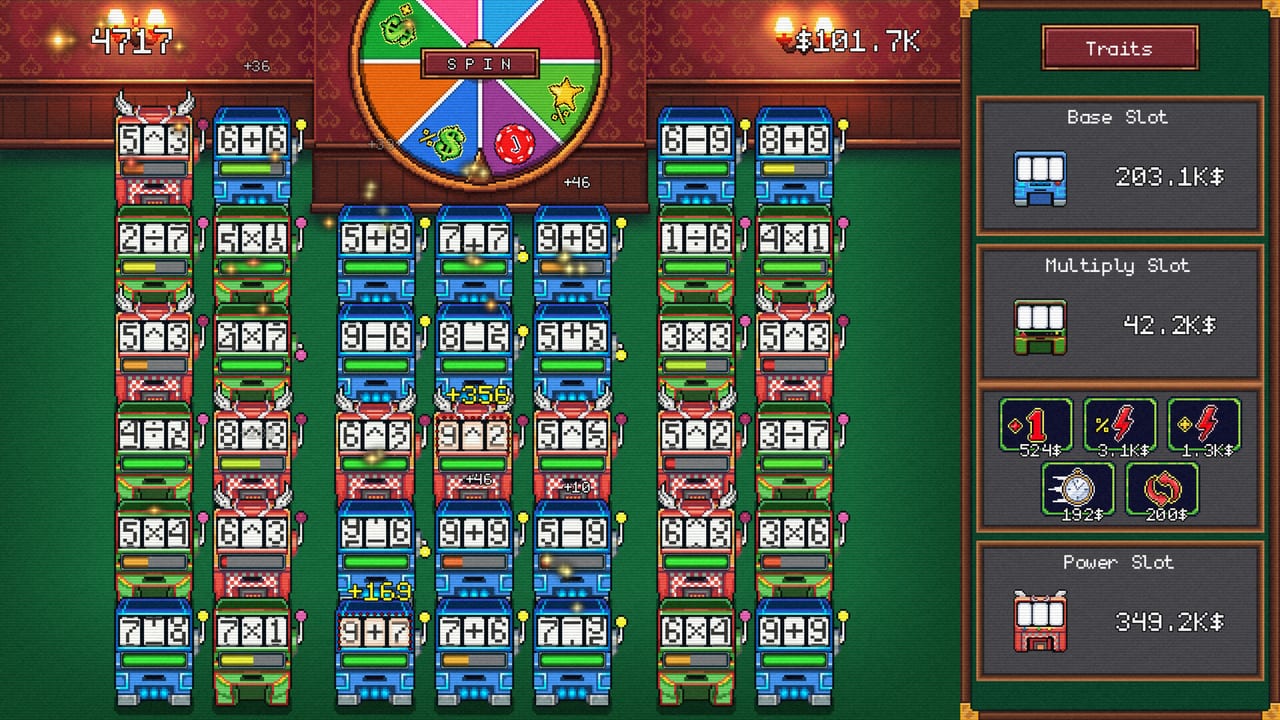
Automation is the moment Slot Grind stops being a clicker and becomes a casino tycoon sim. OneMoreSystem designed the progression so manual spins teach the payout table, then auto-spin modules and skill perks take over while you focus on debt timing and machine purchases. This guide explains when to buy automation, how to stack it with speed upgrades, and why partial automation loses to committing fully once the unlock appears.
Players who automate too late report fatigue before the mid-game income spike; players who automate too early without speed upgrades watch machines spin slowly for little gain. The sweet spot is automating your two best machines immediately after the first affordable auto module, then expanding coverage each time income doubles.
Understanding Automation Unlocks
Automation in Slot Grind is not a single toggle. It arrives as per-machine modules or skill-tree nodes that enable continuous spinning without input. Exact names vary by build, but the pattern is consistent:
- Manual only — Starter phase; every coin depends on clicks.
- Single-machine auto — First shop or skill unlock; one slot runs forever.
- Row or floor auto — Mid-game perks extend automation to neighboring machines.
- Global automation — Late skill-tree capstones or expensive shop bundles cover the entire floor.
Consult Automation Unlocks for purchase costs and prerequisites. Cross-reference Skill Tree Early Perks because some automation nodes live in the tree instead of the machine shop.
When to Buy Your First Auto Module
A reliable rule: purchase the first automation unlock immediately after your third machine unless a debt payment is due within the next two minutes of real time. Three machines mean automation amortizes across enough baseline income to repay its cost before the next major unlock.
Before buying auto, ensure each targeted machine has at least one spin speed upgrade. Auto-spin multiplies total spins per minute; slow machines stay slow even unattended. The Upgrade Priority guide recommends speed first, payout second on machines you plan to automate.
If cash is tight, automate your highest payout machine rather than the newest cheap slot. One strong automated reel beats two idle manual ones.
Stacking Speed, Payout, and Automation
Think in layers:
- Speed — Reduces time between spins; highest short-term ROI pre-auto.
- Automation — Removes click bottleneck; mandatory before floor expansion stalls.
- Payout — Increases coin per spin; best once spin rate is capped.
- Global perks — Skill-tree auras that multiply entire rows.
After automating two machines, alternate: one new machine purchase, one automation module, one speed batch. This rhythm keeps the Mid-Game Walkthrough pacing intact and prevents a floor full of manual slots you never use.
Late game, revisit under-automated corners when Late Game Skill Perks open global toggles. Selling or replacing obsolete manual slots is rarely needed — Slot Grind does not punish dormant machines — but unused tiers should receive auto modules before you buy luxury high-tier slots.
Layout and Efficiency Tips
Automation removes click distance concerns, yet floor layout still matters for readability. Group automated machines of the same tier so income spikes are obvious when upgrades land. Keep manual slots near the UI shop panel during transition phases so you remember to upgrade them before automating.
Offline or background earnings, if enabled in your build, scale with the number of automated machines and their speed. Maximize offline gains by automating everything before closing the game during a debt-saving phase. Playtime Checklist marks automation milestones for achievement hunters.
Common Automation Mistakes
Automating before speed upgrades — You gain convenience, not income. Fix speed first on priority machines.
Ignoring skill-tree automation nodes — Shop modules and tree perks stack. Check Perk Priority Tier List before assuming shop auto is enough.
Buying new tiers without auto coverage — A manual top-tier slot underperforms a fully automated mid-tier row. See Machine Tier List.
Skipping debt saves for automation splurges — Automation helps future income but does not replace lump-sum debt payments. Sync with How to Pay Off Debts.
Automation Roadmap by Campaign Phase
Early (first 20 minutes) — Manual spin until third machine; buy first auto module; continue How to Play fundamentals.
Mid (20–60 minutes) — Automate majority of floor; invest in skill-tree global speed; unlock remaining machine tiers via How to Unlock Machines.
Late (final hour) — Complete global automation; push payout upgrades; funnel surplus to debts per Debt Payoff Walkthrough.
Return to Guides Hub for related strategies, or model purchases in the Upgrade Planner before your next automation spend.
Frequently Asked Questions
Quick answers for Slot Grind players.
When should I automate my first Slot Grind machine?
Buy the first auto-spin unlock right after acquiring your third machine, provided you are not saving for an imminent debt payment and the target slot has at least one speed upgrade.
Does automation work offline in Slot Grind?
Automated machines continue generating income while the game runs in the background. Offline earnings depend on your unlocked perks and machine speed.
Should I automate cheap machines or expensive ones first?
Automate your highest combined payout and speed machines first. A fast mid-tier auto slot usually beats a slow premium machine you still click manually.
Can I turn automation off?
Individual modules can often be toggled per machine in the upgrade panel. Disabling auto is rarely useful except to test payout changes.
Where do automation unlocks come from?
Both the machine shop and skill tree grant automation. Check Automation Unlocks and Early Perks pages so you do not double-buy redundant effects.