Slot Grind Troubleshooting Guide
Performance tips, player-reported bugs, and where to check for official OneMoreSystem fixes on Steam.
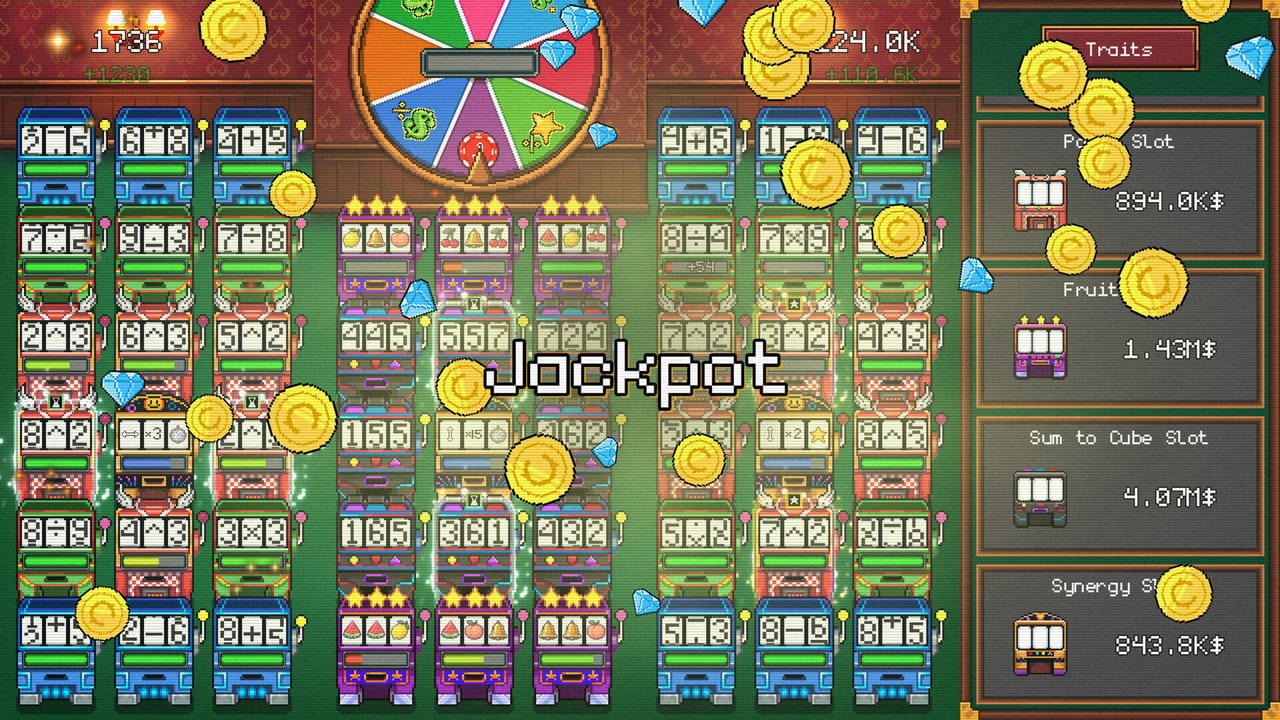
Slot Grind launched August 4, 2026 as a lightweight incremental casino (1 GB RAM, OpenGL 3.3, ~200 MB install), yet launch-week Steam discussions include player reports about high GPU usage, upgrades disappearing after buying a second machine, and general confusion between demo and full-game builds. This guide collects those community-reported issues — not confirmed developer patches — plus practical steps you can try before filing feedback.
Always cross-check the Steam community hub and update history for AppID 4619420 before assuming a workaround still applies. OneMoreSystem has pinned bug report threads in discussions; search there for official responses.
High GPU Usage on Launch
What players report (August 2026 discussions):
- GPU spikes to 90–100% immediately on launch, even on menus or idle casino floors.
- Questions about why an incremental idle game stresses GPU over CPU.
- Reports on both Windows and macOS builds.
Status: Player-reported at launch week. No universal official fix documented on this wiki — verify Steam patch notes and pinned threads.
Things to try (unofficial workarounds):
- Windowed or borderless windowed instead of exclusive fullscreen — reduces some driver-level GPU lock on certain setups.
- Cap frame rate via GPU control panel (NVIDIA/AMD) or in-game if a limiter appears in future patches.
- Close overlay software temporarily (Steam overlay, Discord, recording tools) to isolate spikes.
- Update GPU drivers — OpenGL 3.3 titles still benefit from current drivers.
- Verify game files on Steam — right-click Slot Grind → Properties → Installed Files → Verify integrity.
Slot Grind should not require discrete GPU tier hardware given listed specs. If usage stays at 100% with minimal gameplay impact, some players continue background idling anyway — see AFK and Idle Strategy for session planning. If the game stutters or thermals spike uncomfortably, report hardware details on the pinned bug thread rather than only commenting on generic posts.
Upgrades Disappearing After Second Machine
What players report:
- Purchased upgrades vanish or reset after buying a second slot machine.
- Thread titles specifically tie the bug to the second-machine purchase moment.
- Saves may show correct cash totals but missing upgrade levels on affected reels.
Status: Player-reported bug at launch. Treat as unconfirmed until OneMoreSystem posts a labeled fix. Check pinned Bug reports in Steam discussions before replaying hours of progress.
Things to try before replaying:
- Reload save — Quit to desktop and relaunch; some reports mention UI desync rather than true data loss.
- Avoid rapid buy chains — Purchase second machine, wait for income tick, then buy upgrades separately (community-suggested mitigation, not verified).
- Backup saves before major purchases if Steam Cloud or local paths are accessible on your platform.
- Verify files and ensure you are on the latest build from Updates Hub.
If upgrades remain missing, document steps on the pinned bug report thread with machine count, upgrade types, and platform. Do not assume wiki workarounds replace an official patch.
Demo vs Full Game Confusion
Not a crash bug, but a frequent support topic during the demo period:
- Players asking when the full game unlocks after demo progress.
- Threads about “full game delay” before August 4 release.
At launch, purchasing AppID 4619420 continues the campaign beyond demo caps (AppID 4657460). See Demo vs Full Game Guide for purchase timing and content differences.
Basic Performance and Stability
Beyond GPU reports, incremental players should confirm:
| Check | Action |
|---|---|
| Specs | Windows 10 / macOS 10.15+, 1 GB RAM, OpenGL 3.3 |
| Background apps | Close browsers with heavy GPU tabs while idling |
| Resolution | Lower display scale if UI stutters on high-DPI laptops |
| macOS | Rosetta not required for native build; use Steam’s macOS branch |
| Saves | Note progress before experimenting with gamble routes (Hard Achievements) |
Slot Grind is designed for short sessions — if performance issues block a one-to-three-hour clear, fixing stability matters more than micro-optimizing Tier Lists.
Where to Report Bugs Officially
- Steam Discussions → Bug reports — OneMoreSystem pinned threads at launch.
- Steam update history — AppID 4619420 labeled patches.
- Store page news — Major fixes sometimes post there before wiki summaries.
Include:
- Platform (Windows/macOS) and GPU model if performance-related.
- Steps to reproduce (e.g., “buy second machine, then speed upgrade”).
- Demo (4657460) vs full (4619420) build.
- Screenshot or short clip if upgrades vanish.
This wiki updates Updates Hub when we summarize official patch notes — player threads alone do not confirm fixes.
When Troubleshooting Is Not the Problem
Some “stalls” are pacing, not bugs:
- Exponential waits between late upgrades — normal incremental math; use Upgrade Planner.
- Debt gates — Progress locks until payment; see How to Pay Off Debts.
- Demo cap — Content stops before full debt ladder; not a crash.
Distinguish bug reports from strategy gaps before reinstalling.
Related Pages
- Updates Hub — Launch notes and patch watchlist.
- Demo vs Full Game — AppID differences.
- Controls and System Requirements — Input bindings and specs.
- Guides Hub — Master index.
- Wiki Home — Full site navigation.
Frequently Asked Questions
Quick answers for Slot Grind players.
Why does Slot Grind use 100% GPU?
Launch-week Steam players report high GPU usage on menus and idle floors. This is community-reported — check pinned bug threads and Steam patches for official fixes.
Do upgrades disappear after buying a second machine?
Some players report lost upgrades tied to second-machine purchases at launch. Treat as unconfirmed; verify saves, report on pinned Steam bug threads, and watch for patches.
Where do I report Slot Grind bugs?
Use OneMoreSystem pinned Bug report threads in Steam discussions for AppID 4619420. Include platform, steps, and demo vs full build.
How do I fix Slot Grind performance issues?
Try windowed mode, driver updates, verify game files, and reduce background GPU apps. High GPU reports may need an official patch — check Steam update history.
Are these bugs confirmed by the developer?
GPU spikes and upgrade loss are player-reported from August 2026 discussions. This wiki does not confirm fixes — always check Steam for official patch notes.